ELIT User Guide
Page 7 of 77. Sourcing
Sourcing is the strategic process of identifying, evaluating, and selecting suppliers to provide goods or services that meet the organization's requirements. This involves assessing supplier capabilities, pricing, quality, and compliance with regulatory standards. By leveraging competitive bidding, negotiations, and market analysis, supplier sourcing ensures that the organization secures the best value, quality, and reliability for its procurement needs. This process plays a critical role in optimizing supply chains and fostering long-term supplier partnerships.
Once the buyer publishes the Request for Quotation (RFQ), the supplier will receive an email notification regarding the RFQ.
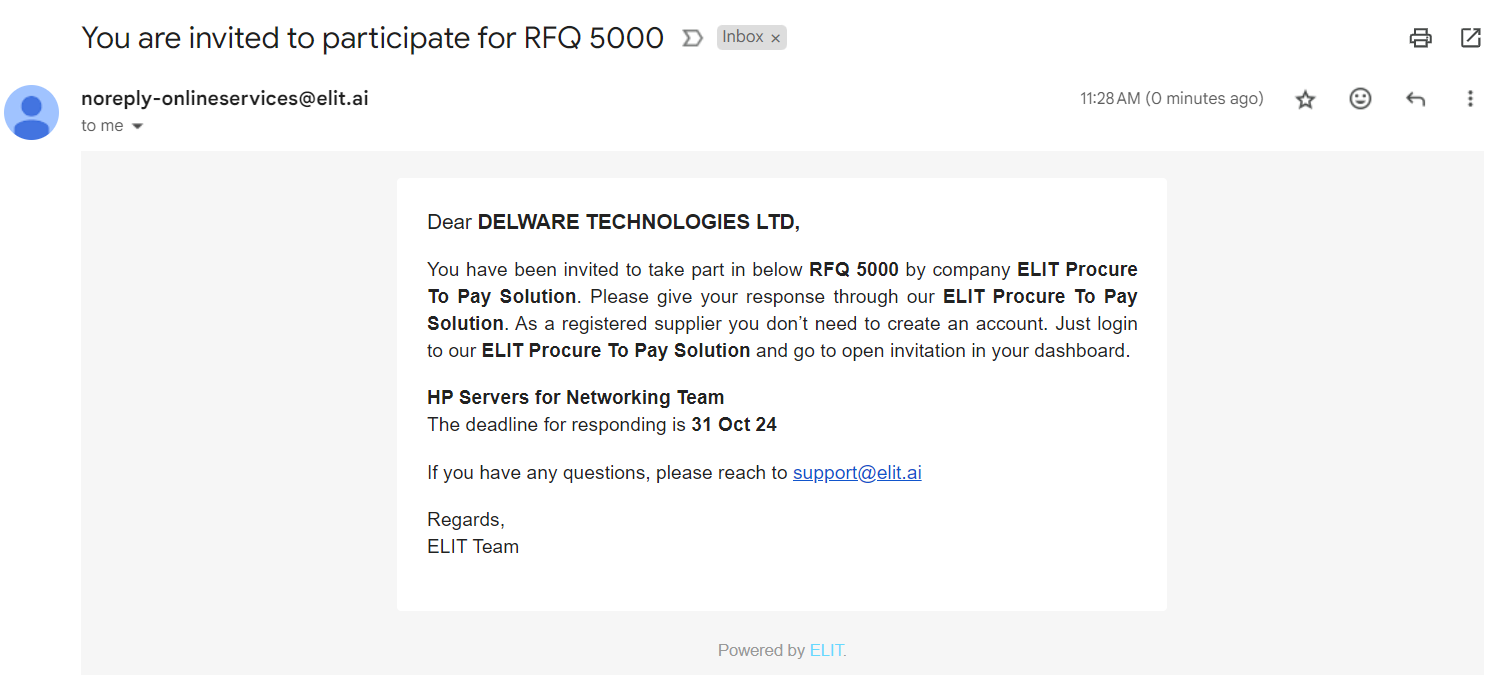
Navigate to ELIT > Sourcing
You will be redirected to Sourcing page
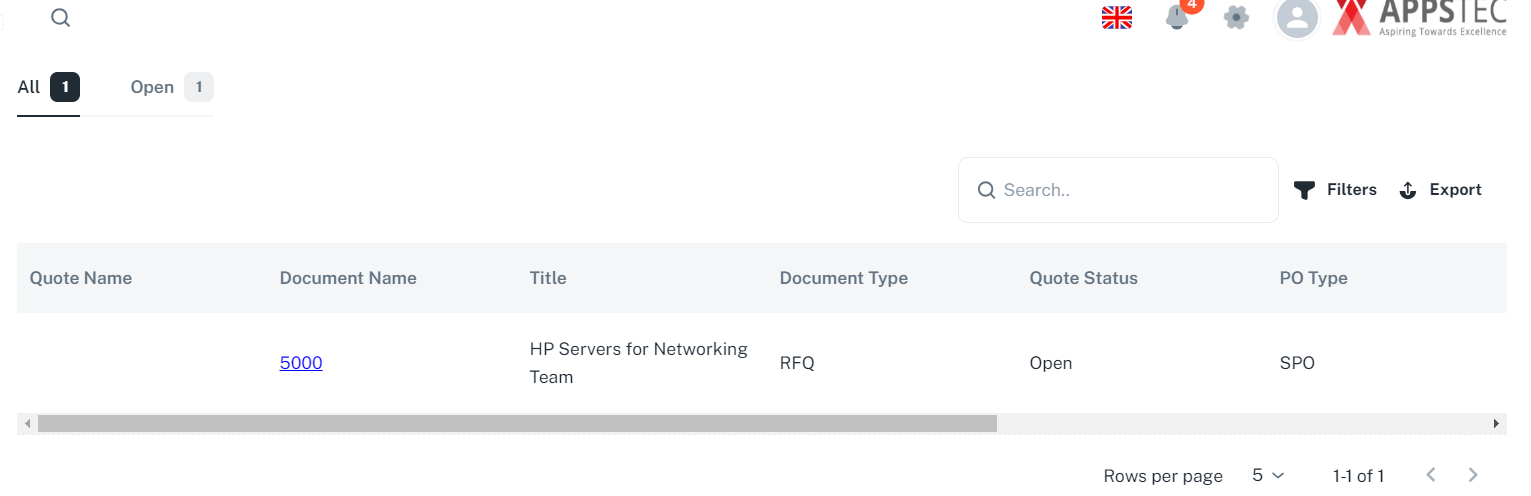
7.1 Quote Participation
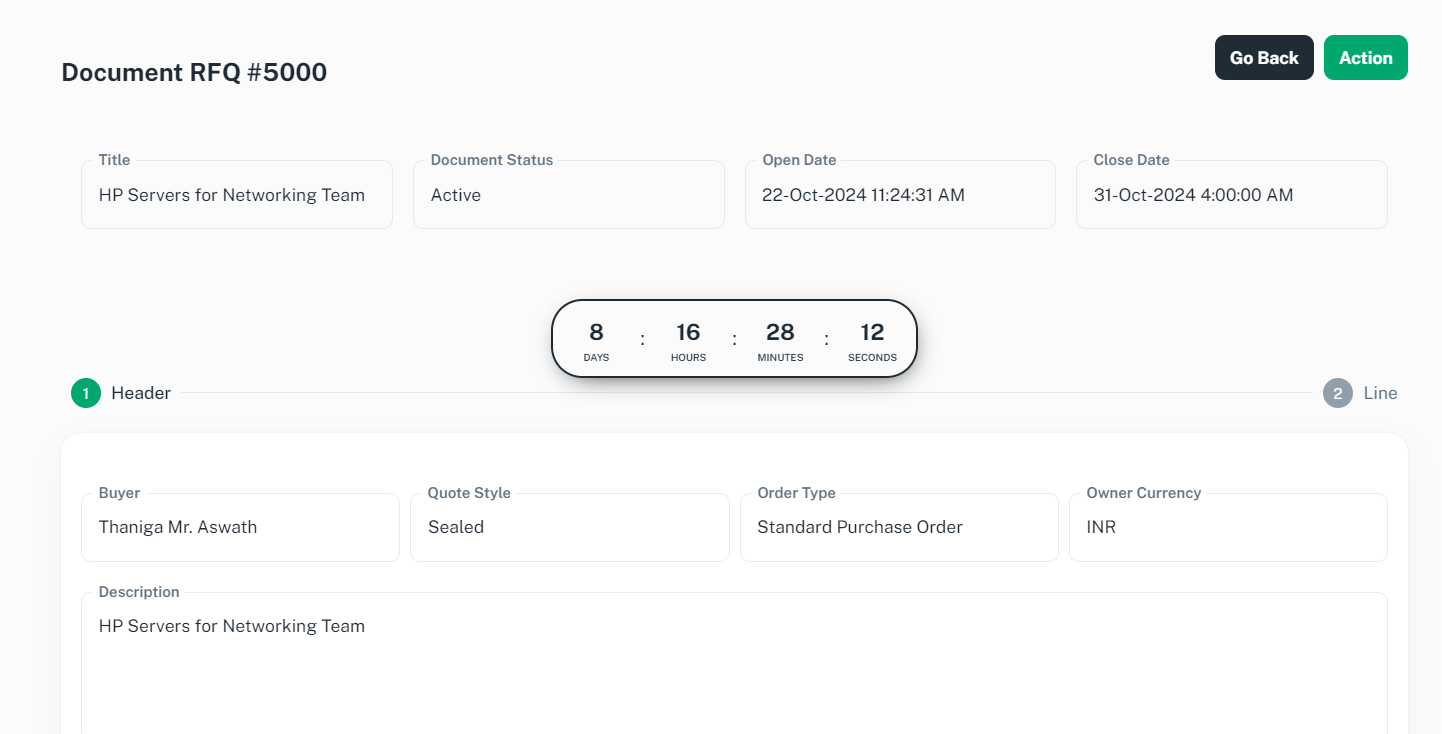
Click on Document Name hyperlink, you will be redirected to view Document RFQ Page.
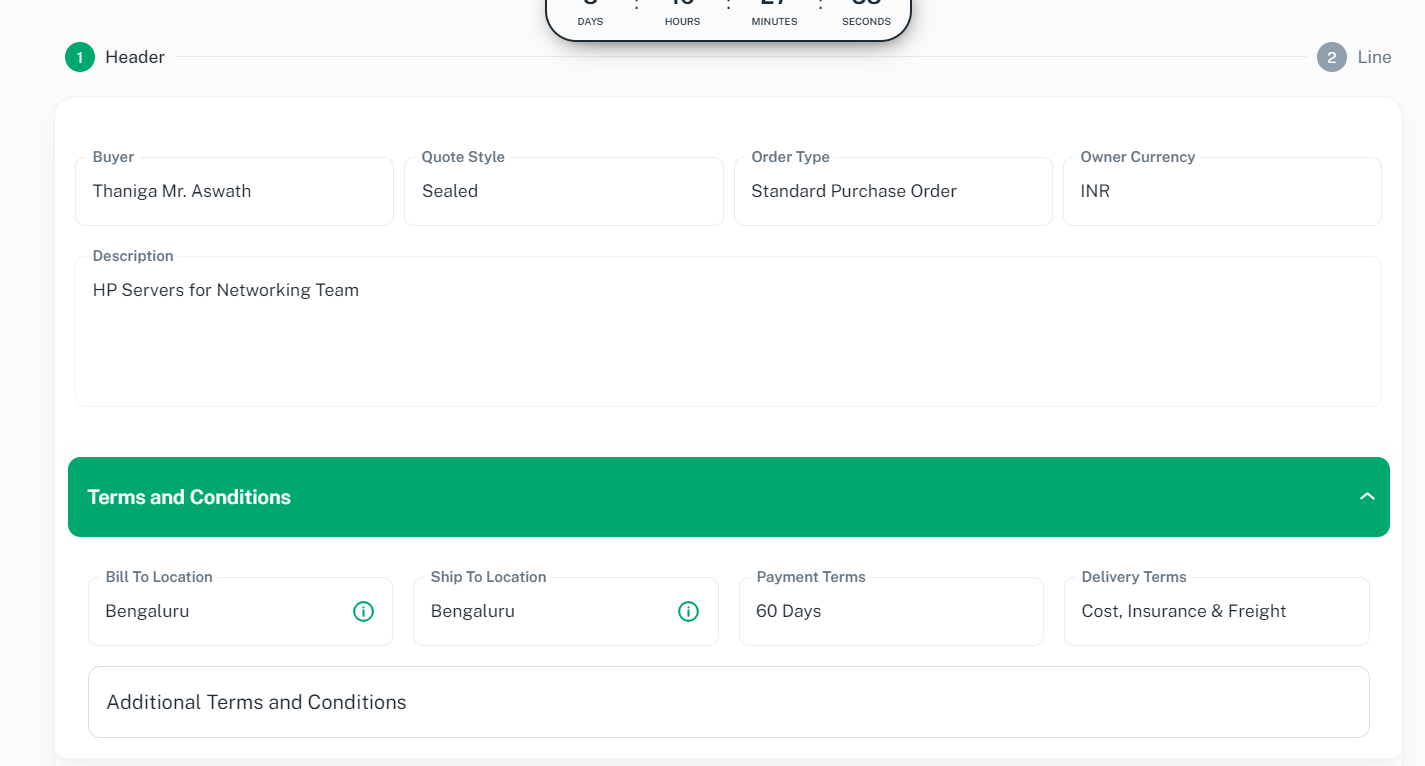
Scroll down to Terms and Conditions to review
Scroll down to Note and Attachments to review
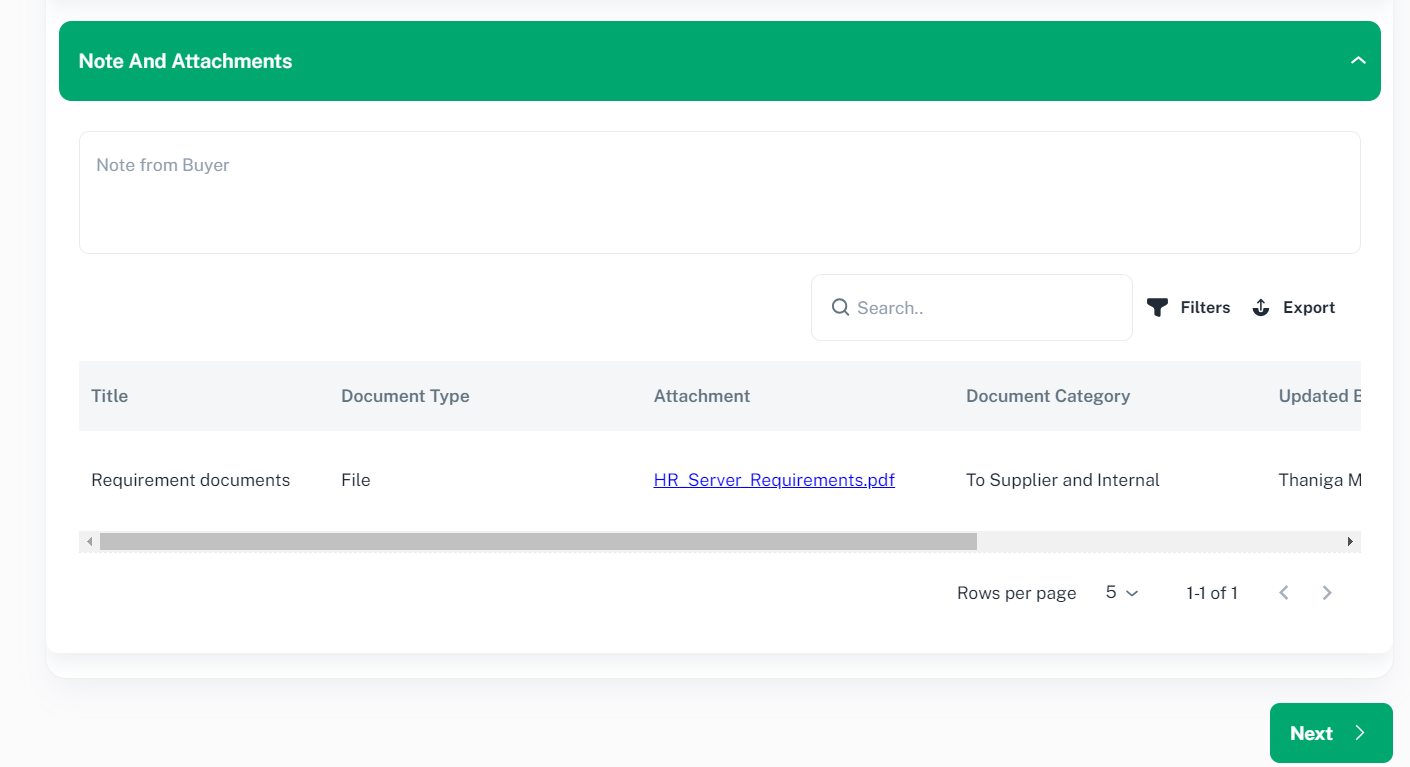
Click ‘Next’ button to proceed. You will be redirected to Line page

To review the line, Click on desired row to proceed and you will be redirected to Line page
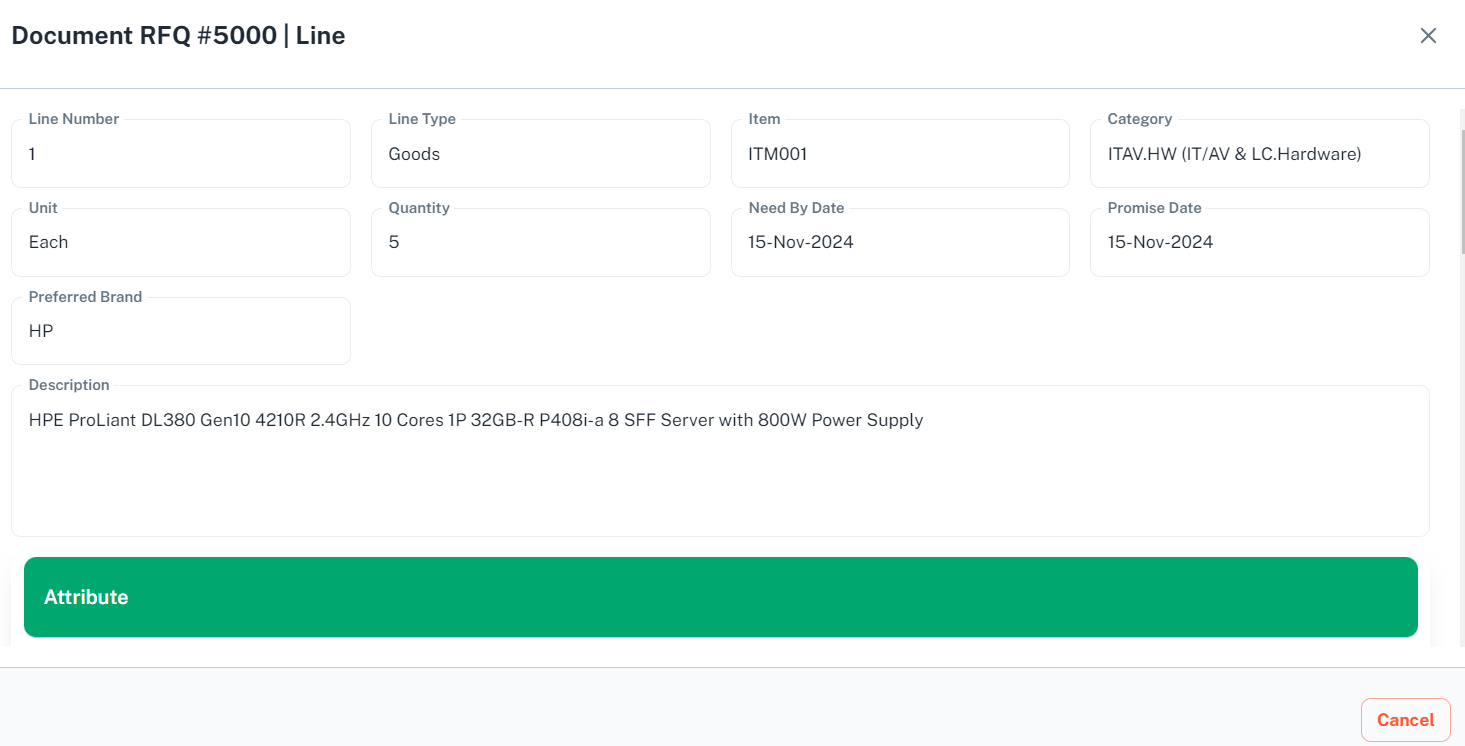
Click ‘Cancel’ to proceed back to RFQ page and to participate for this RFQ, Click ‘Action’ and select ‘Acknowledge Participation’ option to proceed.

You will be redirected to Acknowledge Participation page
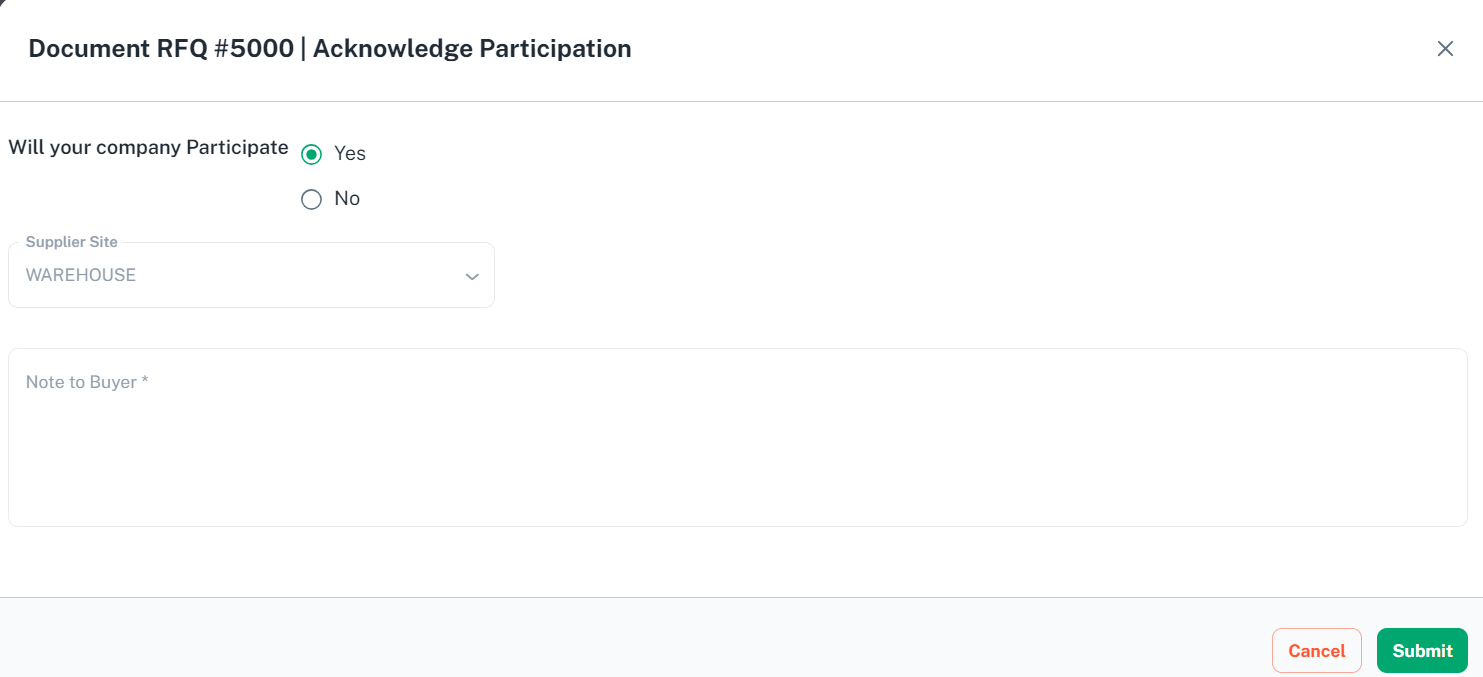
Provide necessary information and click ‘Submit’ button to proceed
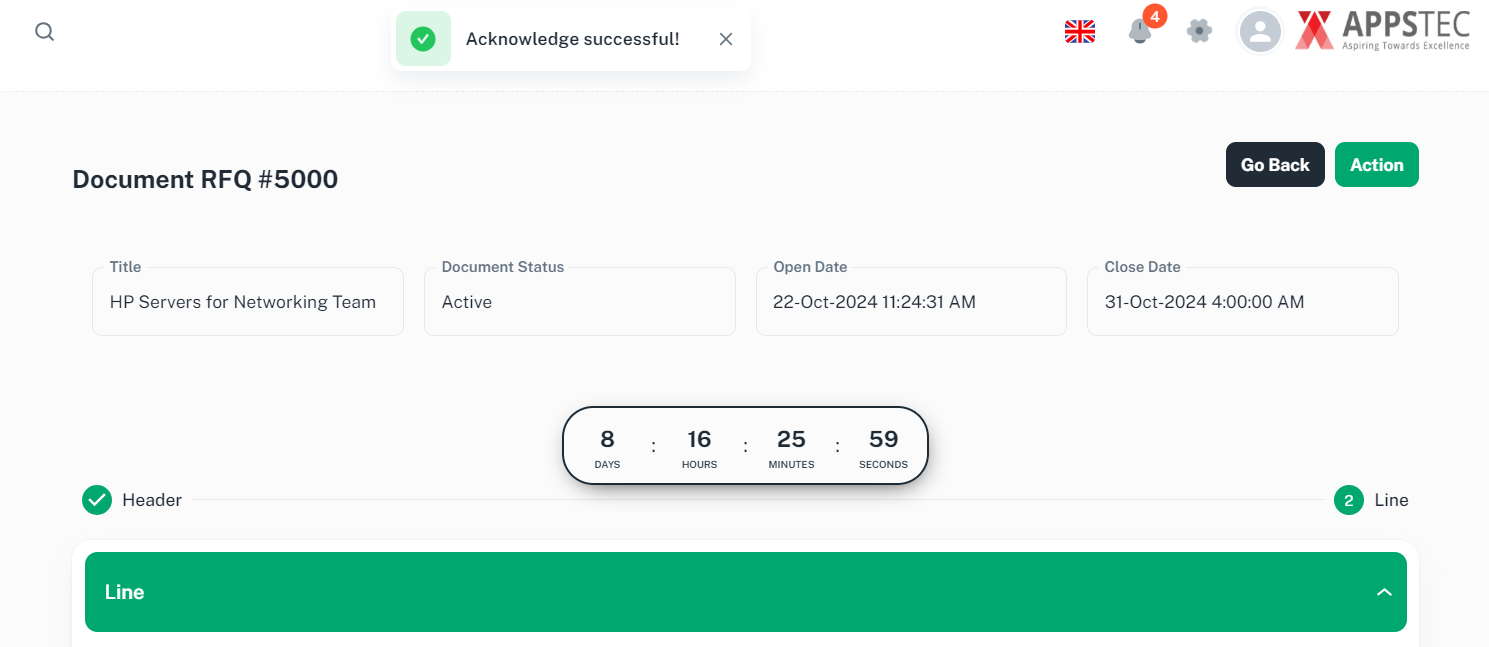
You will be prompted with confirmation message
7.2 Create Quote
Click ‘Action’ button and select ‘Create Quote’ option to proceed
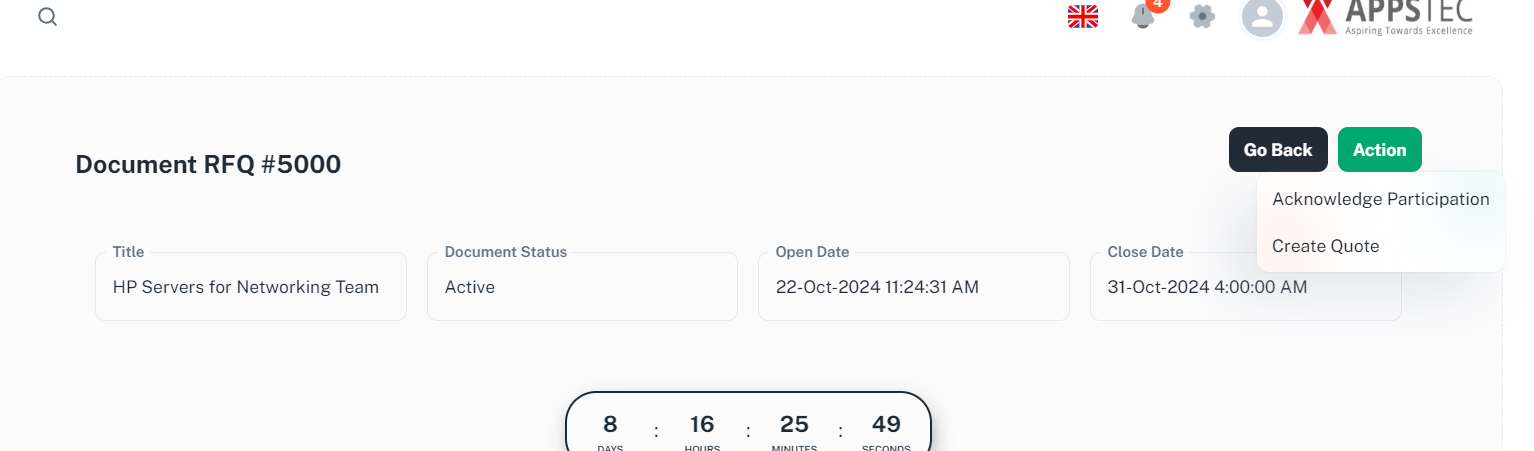
You will be prompted with confirmation message
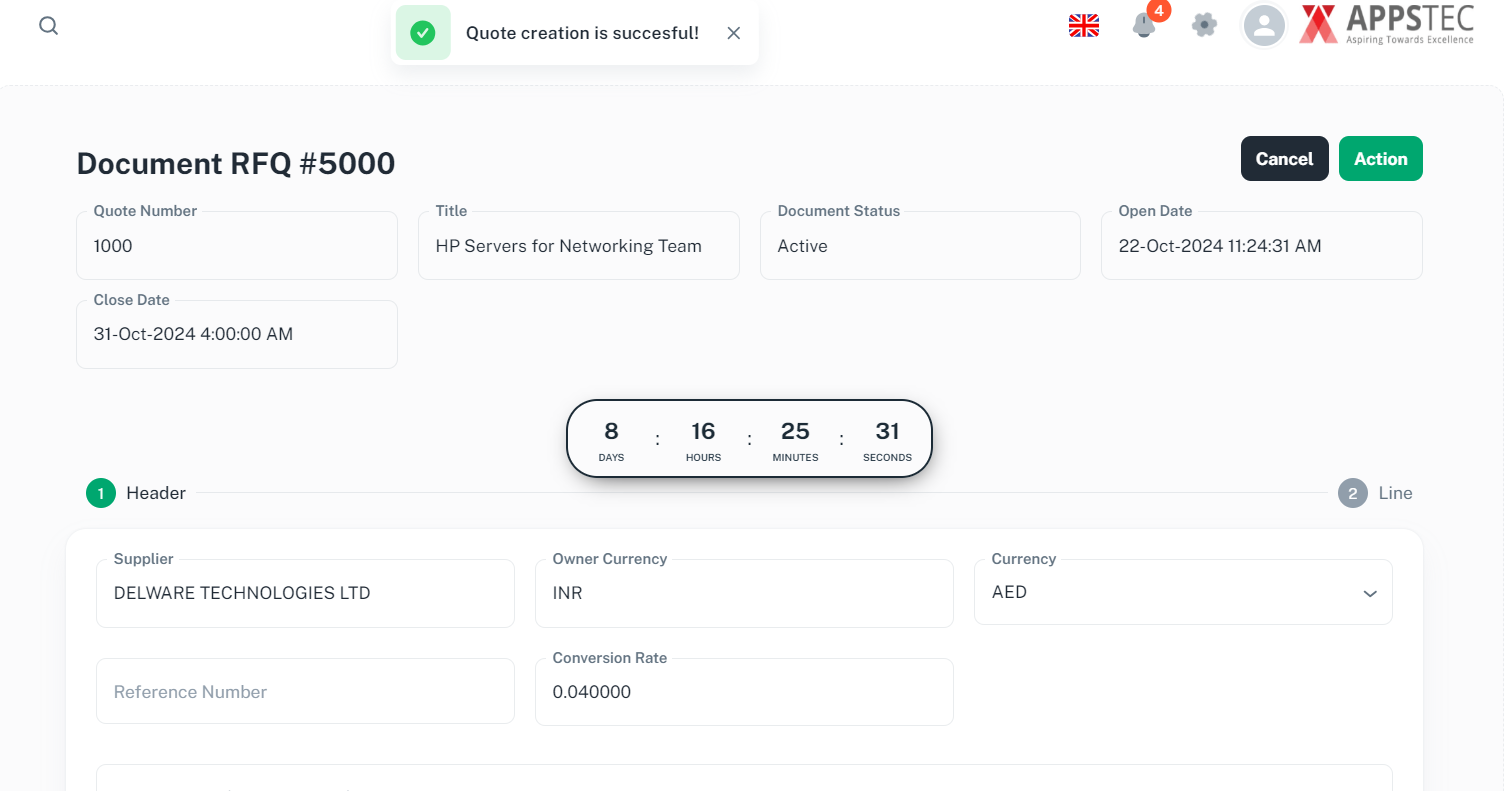
Provide necessary information and scroll down
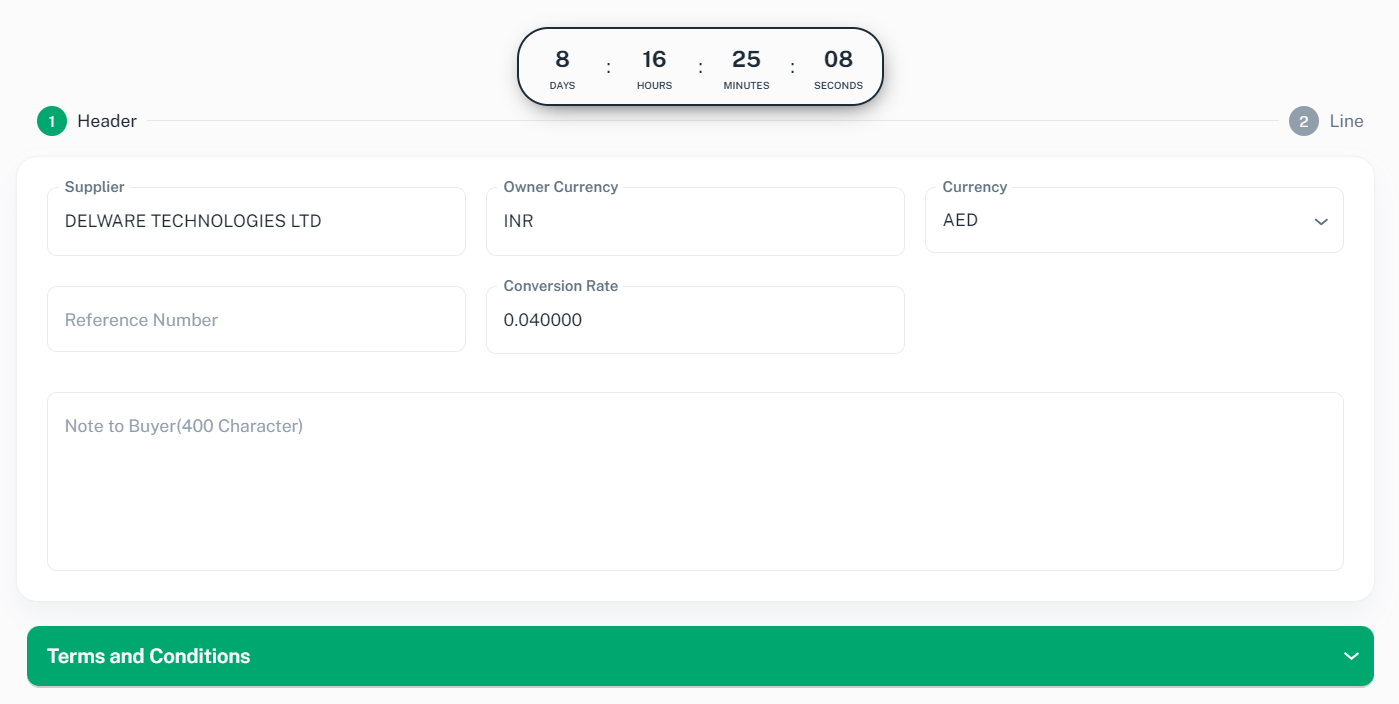
Click ‘Terms and Conditions’ tab to proceed
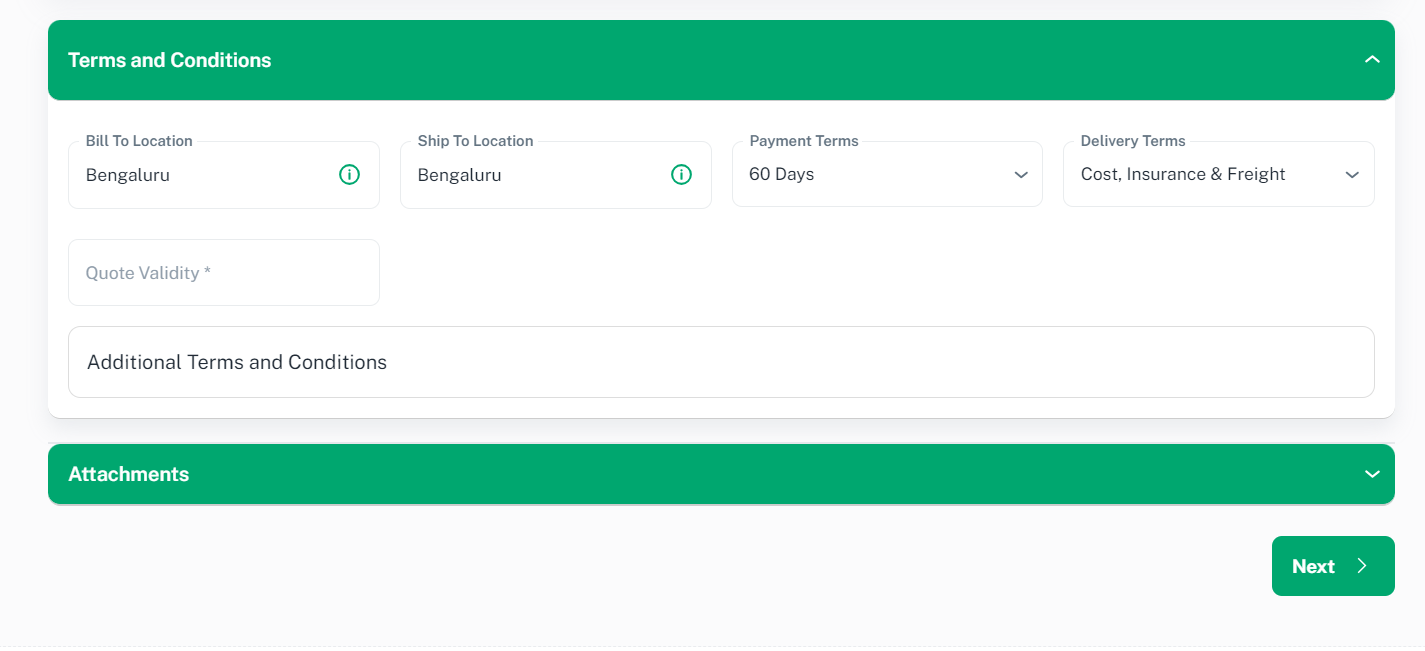
Provide necessary information and Click ‘Attachments’ tab to proceed
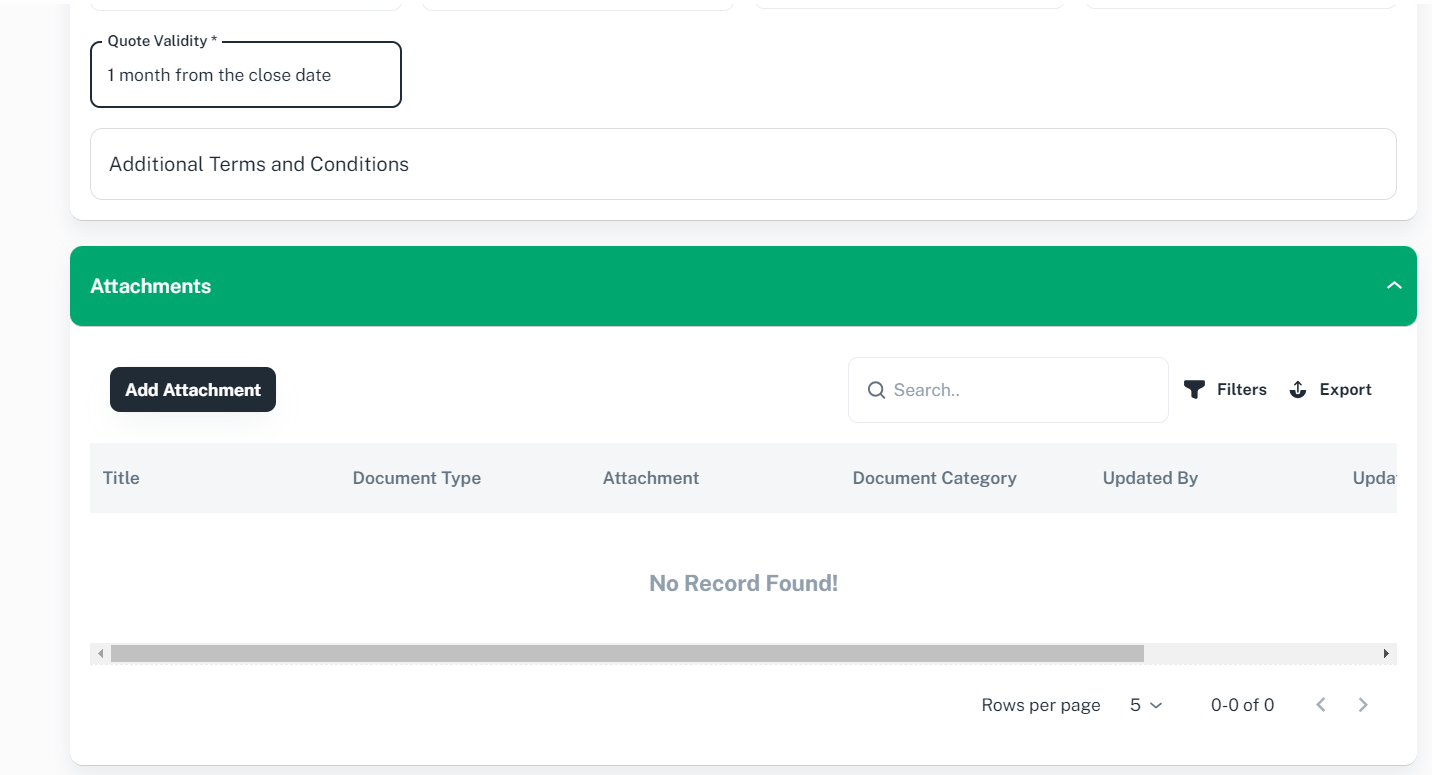
Optionally click ‘Add Attachment’ to add any supporting document.
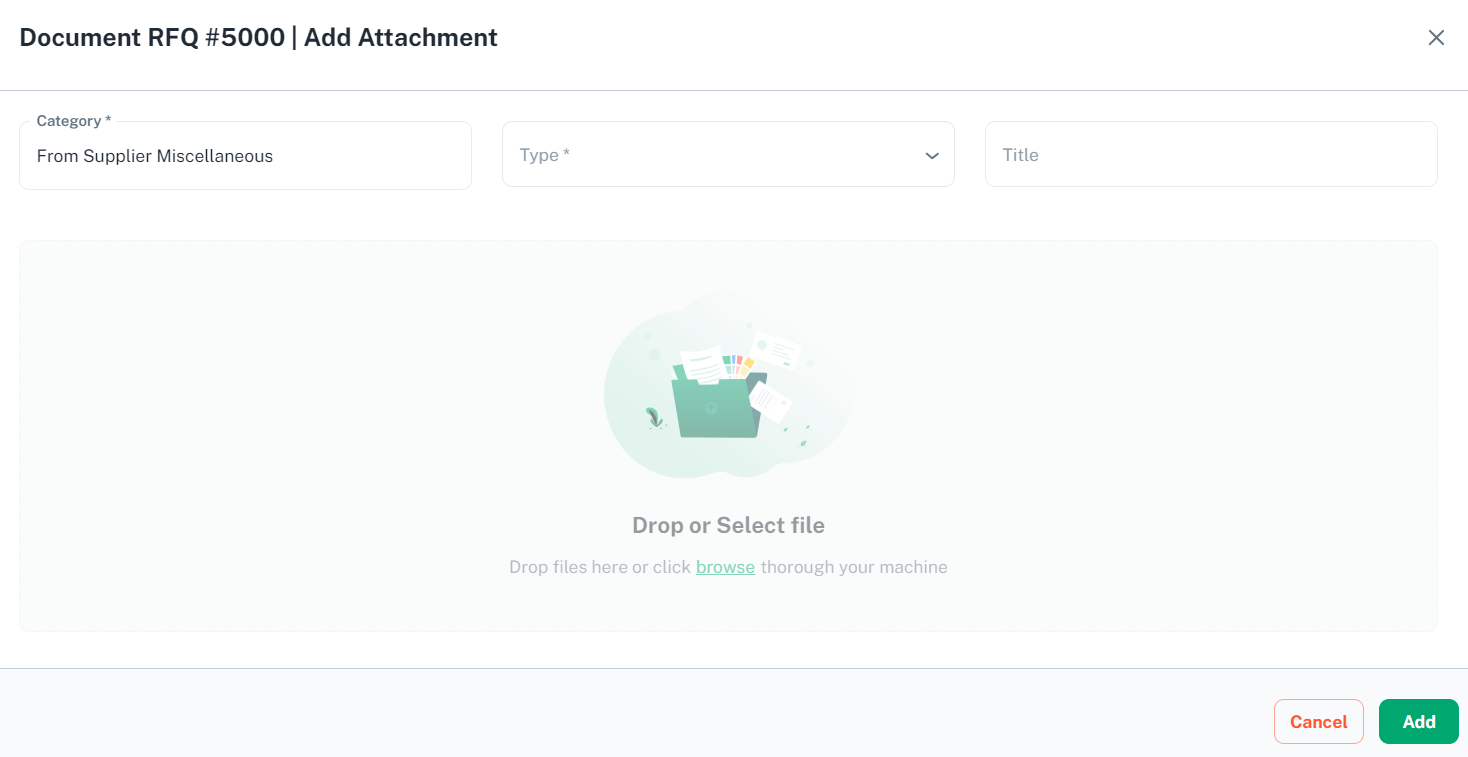
Please provide necessary information and click ‘browse’ hyperlink or drag and drop a file and click ‘Add’ button to proceed
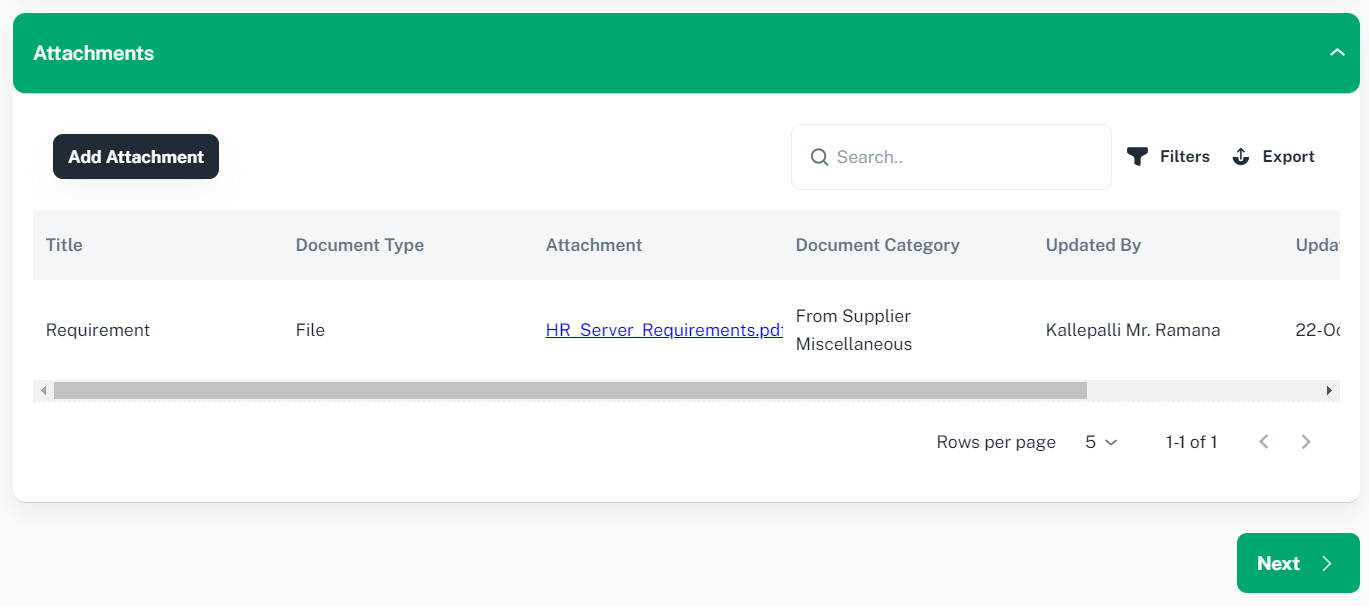
click on ‘Next’ button to proceed and you will be redirected to Lines page.
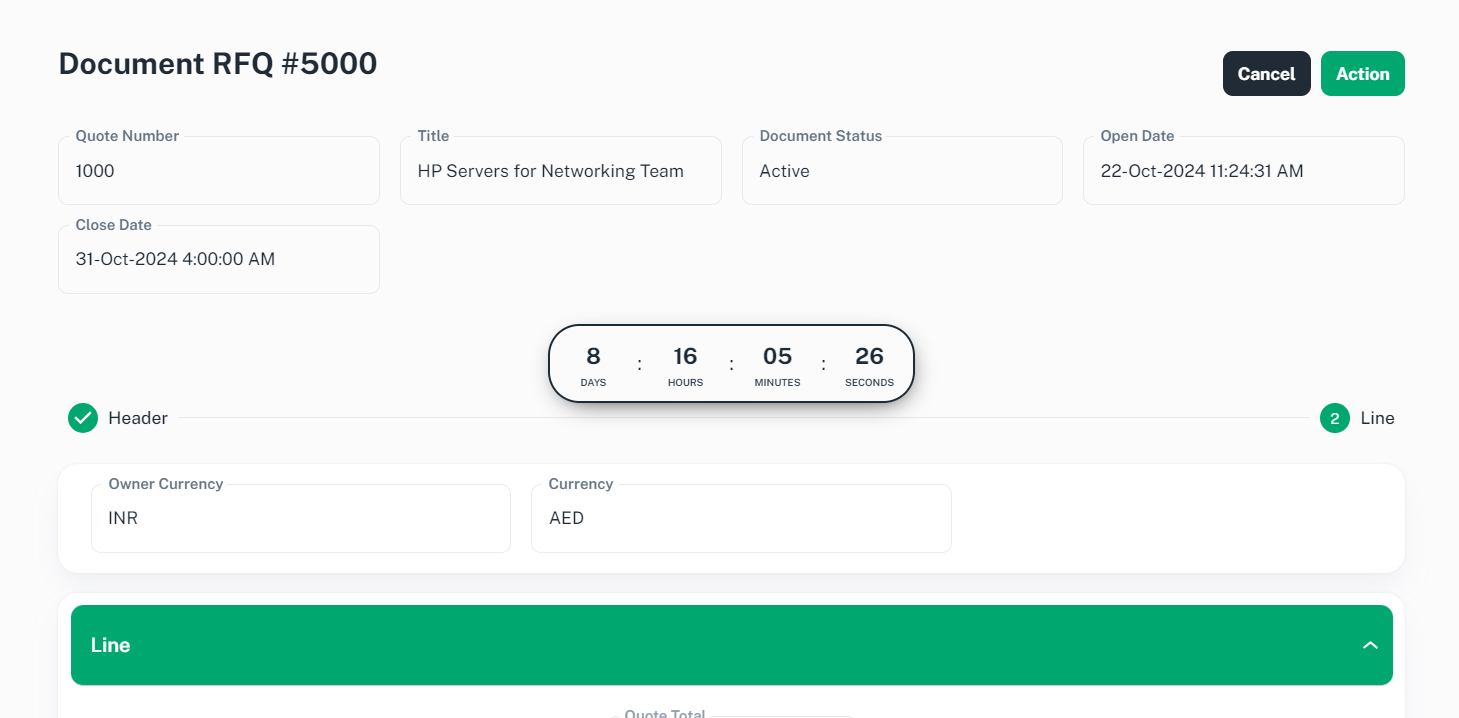

Click on line which you wanted to participate
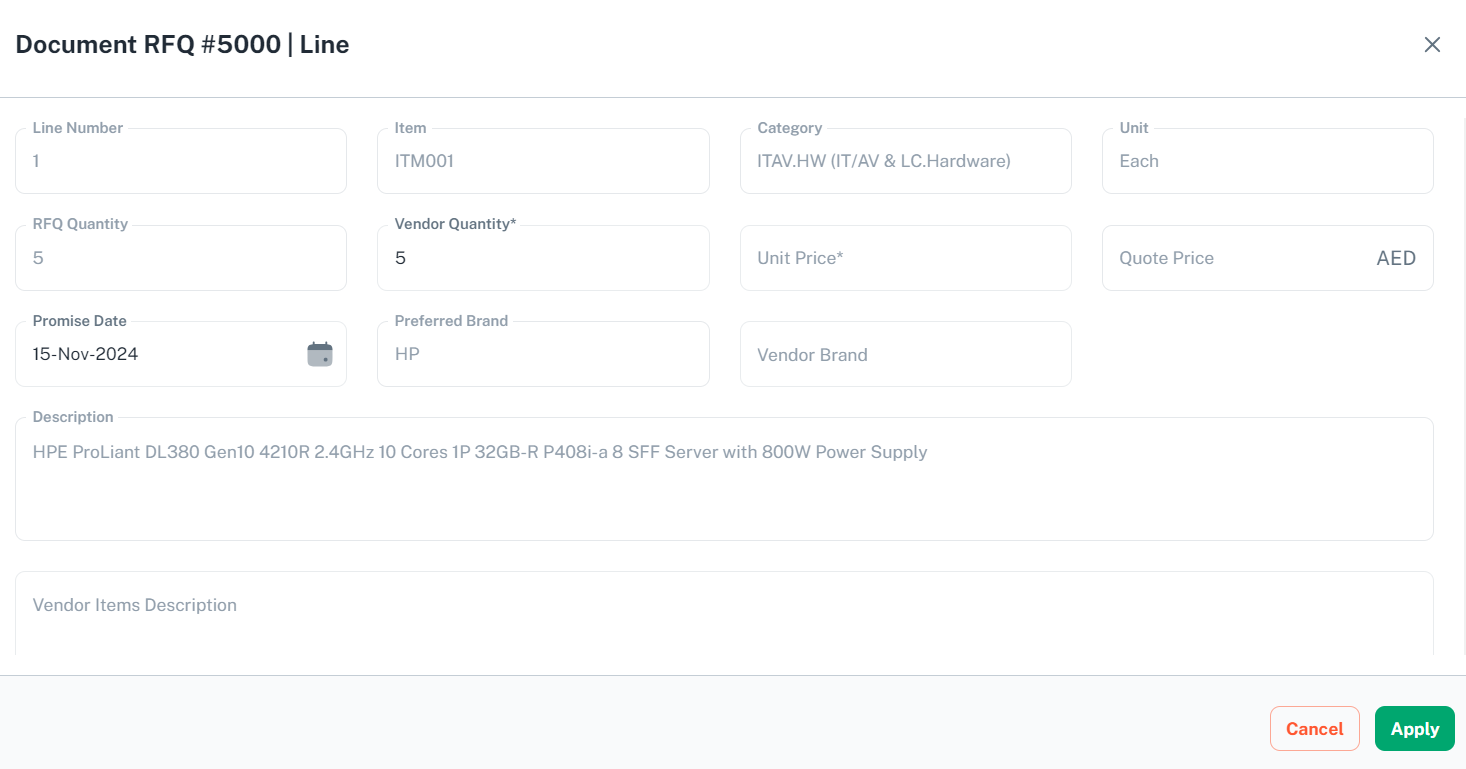
Please provide necessary information and scroll down to Attribute tab

Optionally you can add any additional attributes and scroll down to ‘Note and Attachments’ tab
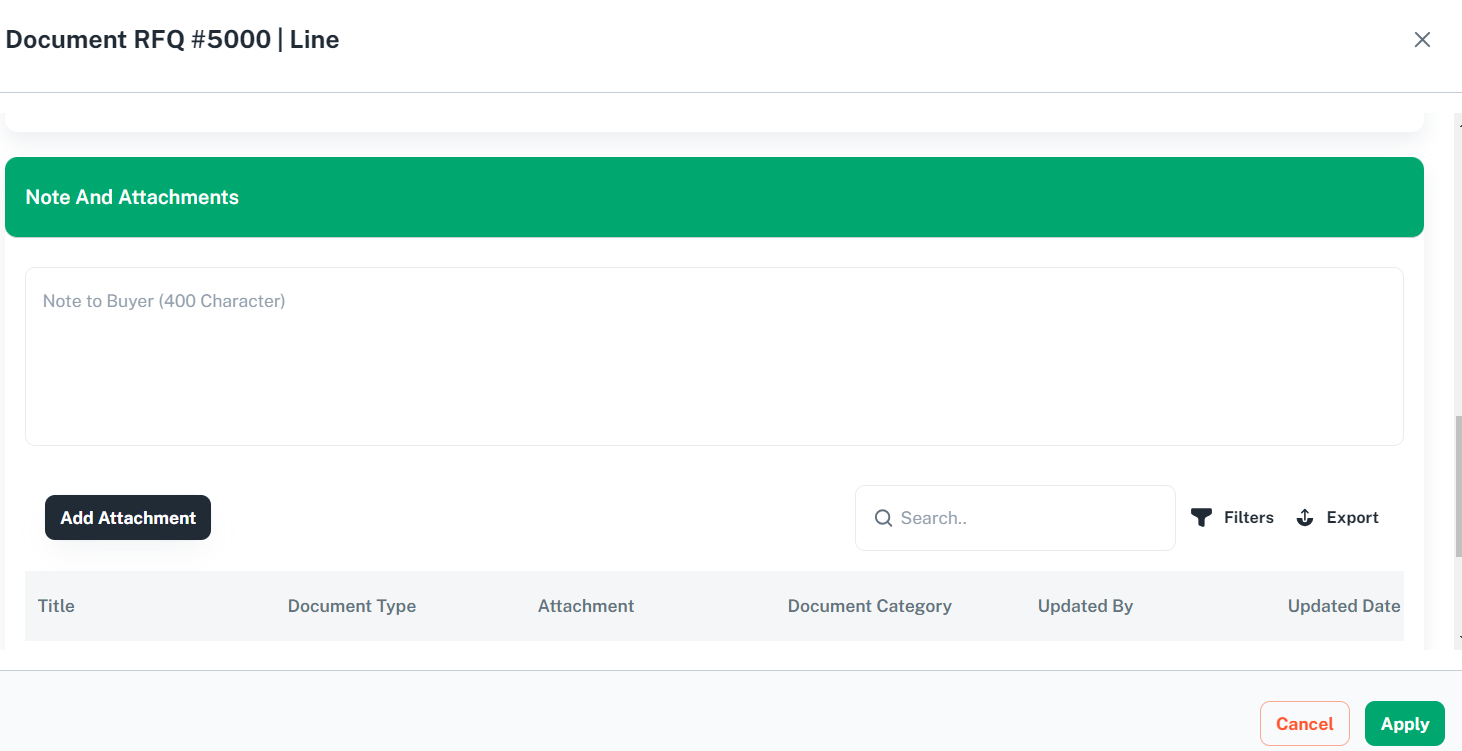
Optionally you can provide any note to buyer and add attachments for this line and Click ‘Apply’ to update the line

7.3 Submit Quote
Click ‘Action’ and select ‘Submit’ to submit the response for the RFQ

You will be prompted with confirmation message. Click ‘OK’ button to proceed
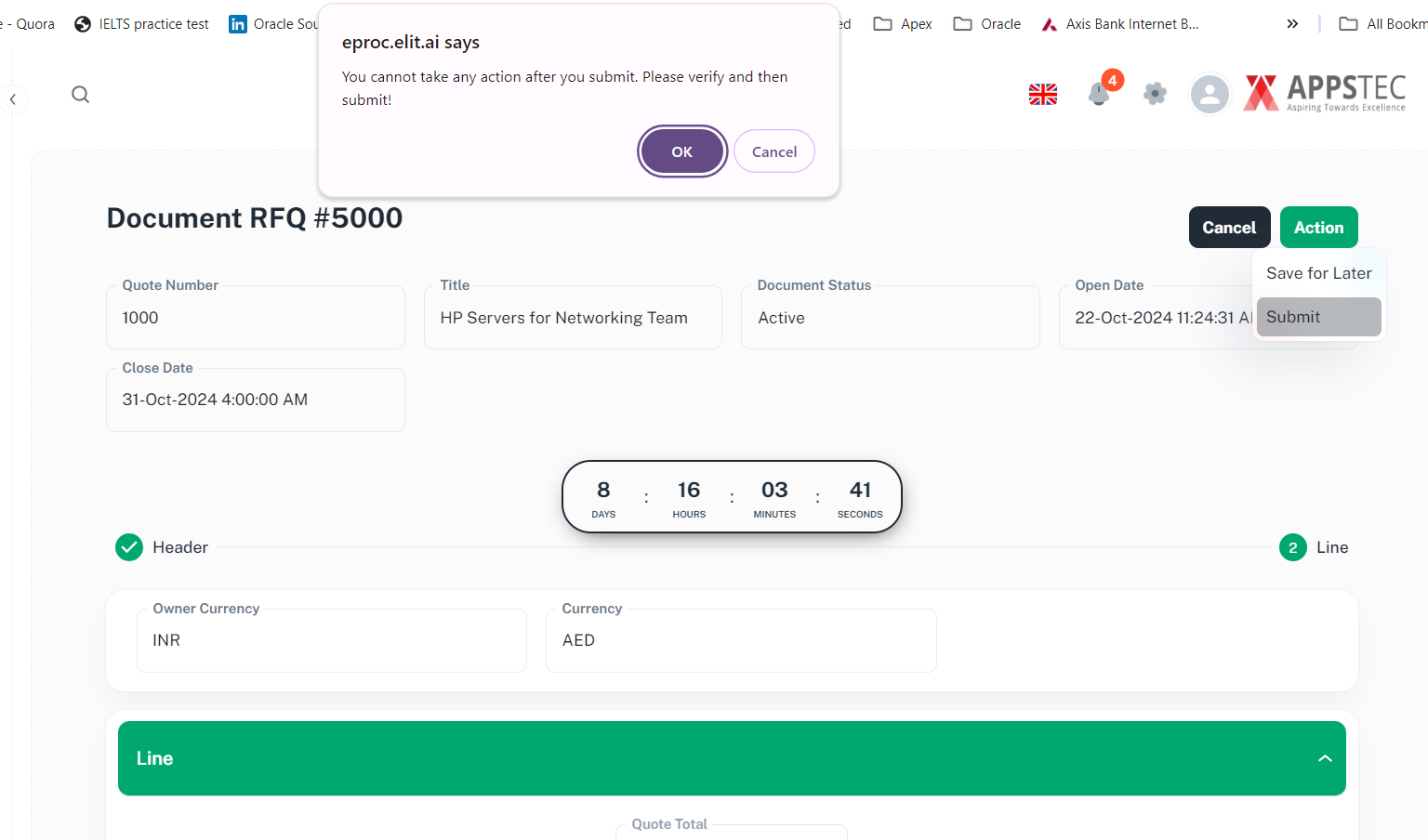
You will be prompted with confirmation message
