ELIT User Guide
Page 5 of 75. Shipment
The Shipment Notice informs the buyer of the supplier's intent to dispatch goods as per the Purchase Order. Once a shipment notice is created, it includes critical details such as shipment date, items being shipped, and quantities. This notice allows both the supplier and buyer to track the progress of the order and prepare for the delivery, ensuring smooth and timely procurement operations. The buyer can then acknowledge receipt and proceed with necessary next steps in the procurement process.
5.1 Shipment Summary
The Shipment Summary provides an overview of all shipments related to a specific purchase order. It includes key details such as shipment dates, quantities dispatched, carrier information, and delivery status. This summary allows both buyers and suppliers to track the progress of multiple shipments, ensuring that all items are delivered as expected and in a timely manner, while providing visibility for efficient inventory and order management.
Navigate to ELIT > Supplier Management > Shipment Summary
You will be redirected to Shipment Summary page
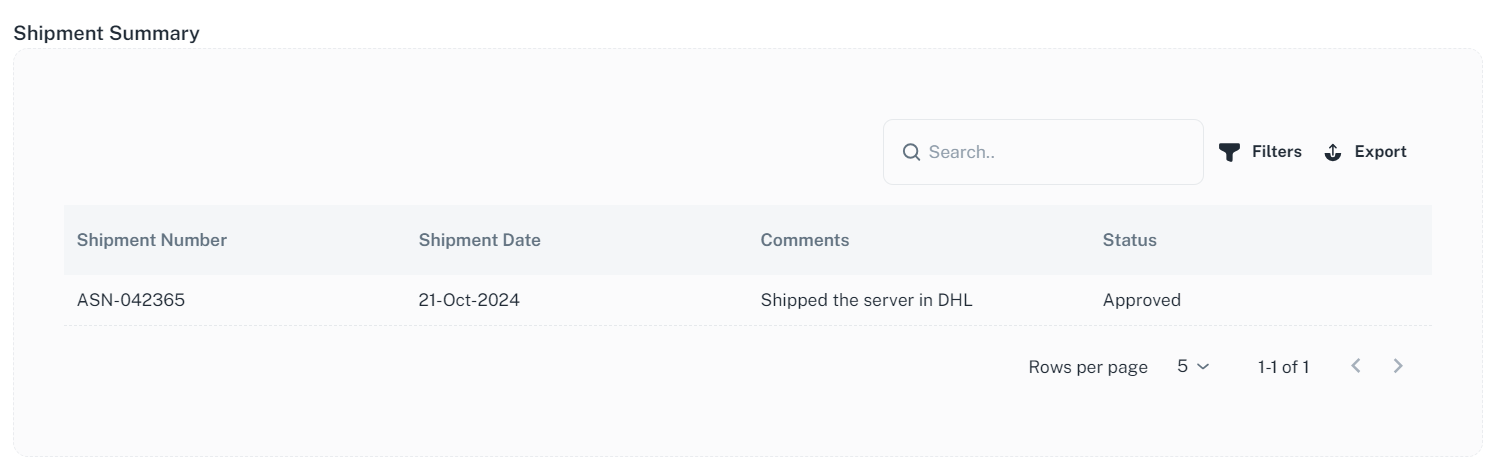
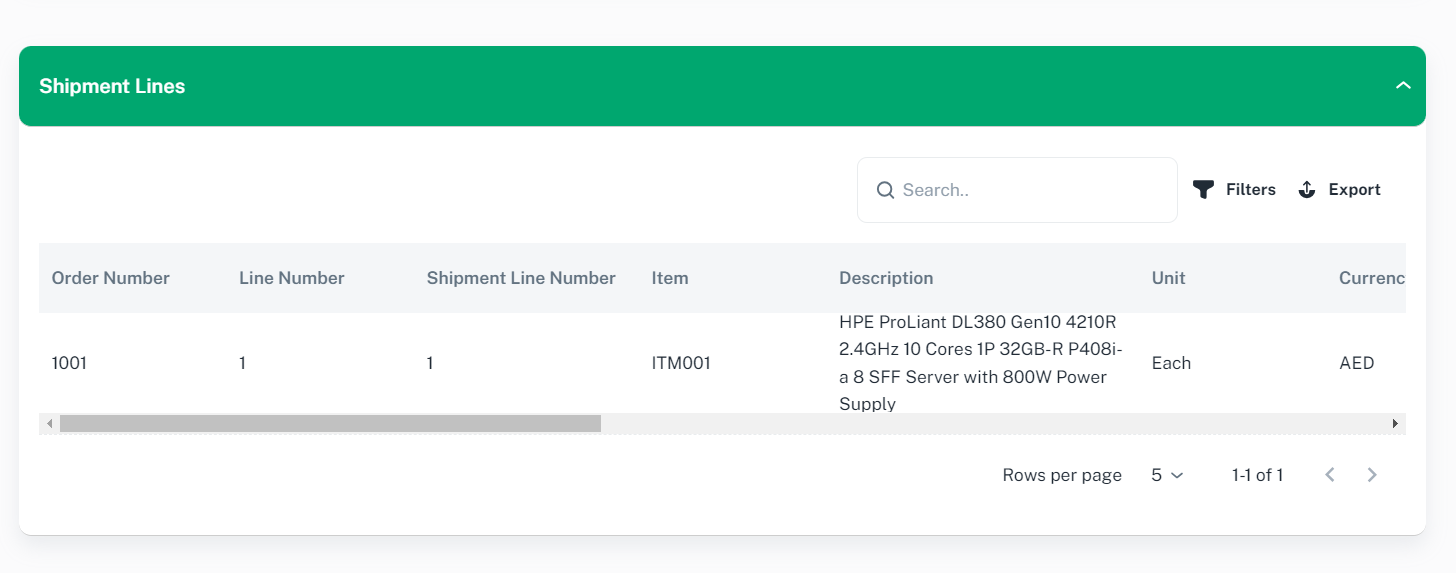
If you want to view shipment details, click on desired row, you will be redirected to Order Shipment page.
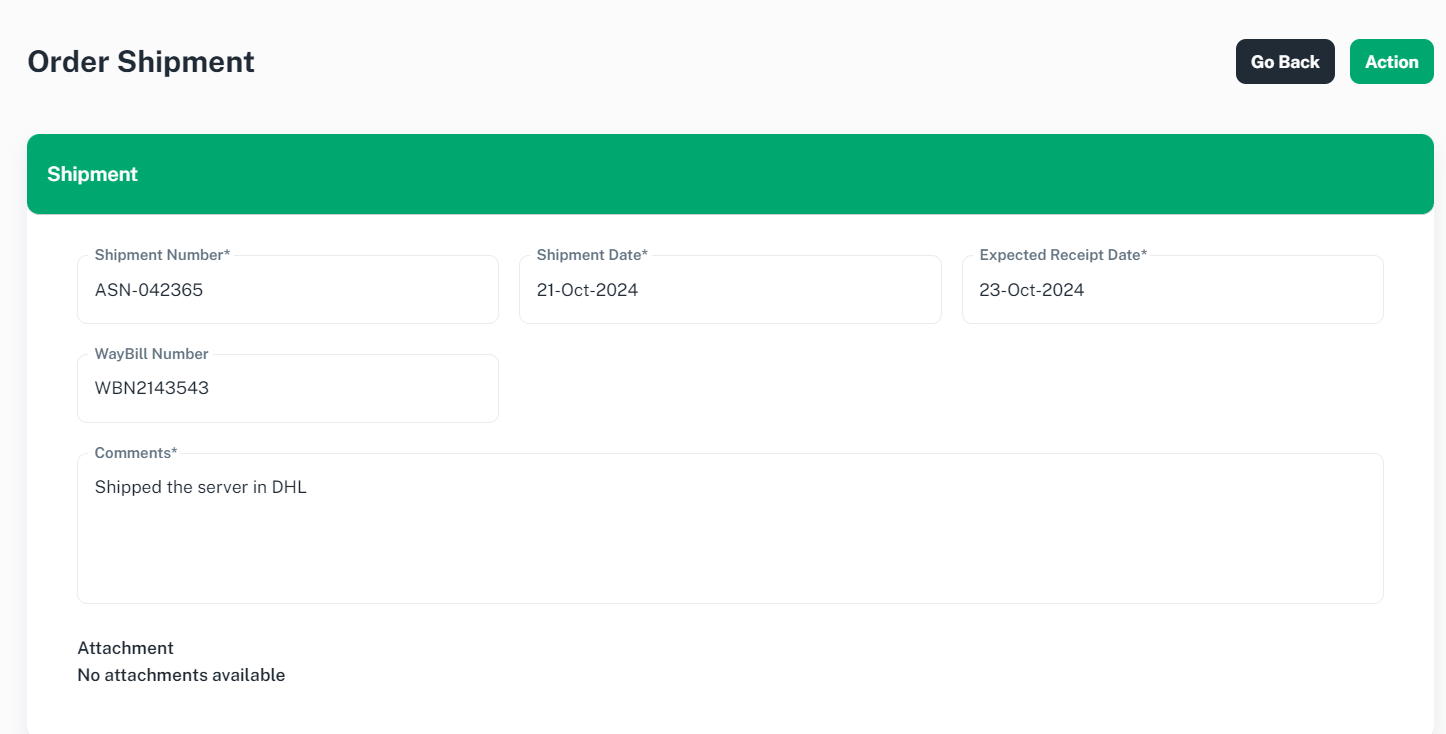
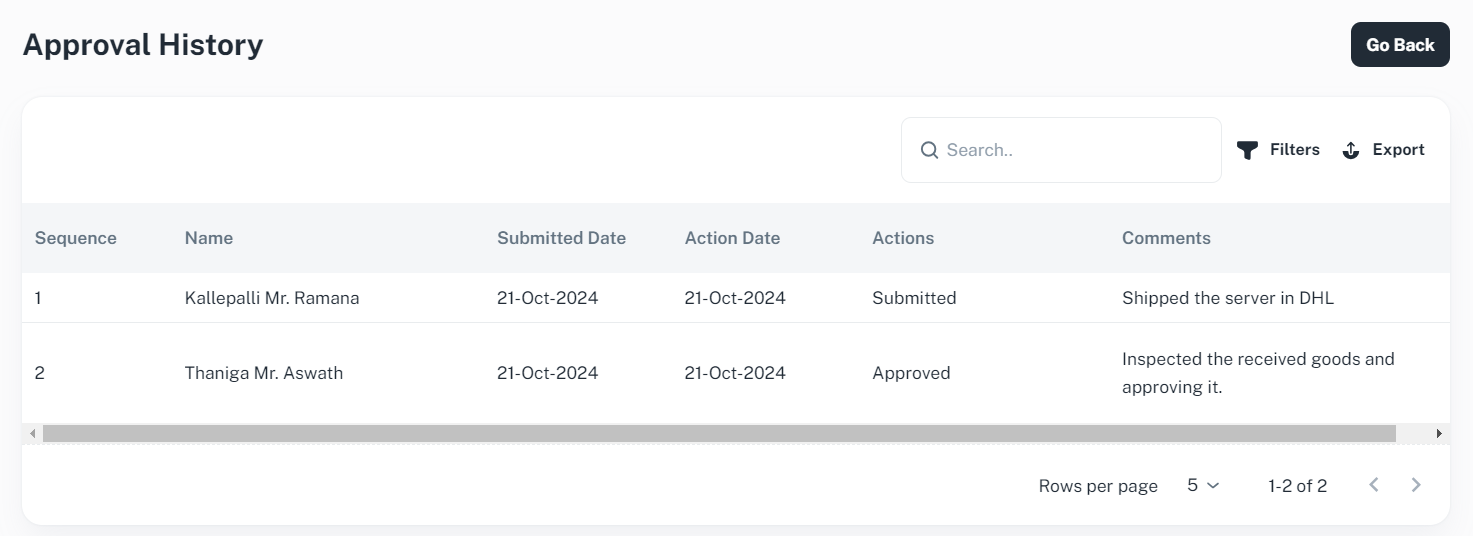
To view the Approval notes, Please Click ‘Action’ and select ‘View Approval History’ to proceed.